Last updated: November 19, 2026
Your commercial liability insurance declarations page tells you what policy you have, who it covers, when it runs, and how much protection and cost sit on the face of the contract. Quick Answer: it usually takes 1 to 3 pages to show the policy’s core facts. This is the policy roadmap, not the whole policy. The sections below show which fields matter, what they control, and where people misread them.
Key takeaways
- The declarations page is the policy’s summary sheet, not the full contract.
- It names the insured business, the policy term, the limits, the deductible, and the premium.
- Endorsements and forms listed there can change the policy even if the page itself looks simple.
- A missing or wrong name, date, or limit can change how the policy responds.
- If the page and the full policy conflict, the wording of the contract matters, so get qualified help for your own situation.
This is general information, not financial advice. Commercial insurance terms, limits, and filing rules vary by country and by insurer, so check your own policy and speak with a qualified adviser about your situation. For a reliable overview of policy documents, see the NAIC consumer guidance on insurance policies and the IRMI glossary entries on declarations pages and endorsements.
What a commercial liability declarations page is
A commercial liability declarations page is the one-page summary that sits at the front of the policy. It identifies the insured, gives the policy period, lists the liability limits, shows the deductible if there is one, and points to the forms and endorsements that make up the contract.
Picture this: you’re holding a policy packet and need the facts fast before a renewal meeting, a lender request, or a claim call. The declarations page is the first place to look because it collects the contract’s core settings in one place. It is not the whole policy. It is the index card.
A useful way to think about it is this: the declarations page tells you who, what, when, and how much. The wording in the forms and endorsements tells you how those numbers work. That split is why a page can look straightforward while still carrying serious consequences. The policy language may be in a separate form with a code number beside it, such as an ISO form or a carrier-specific endorsement. That code matters.
For background on how this piece fits inside the larger policy package, the hub on commercial liability insurance policy design and terms covers the contract structure.
What is on a commercial liability declarations page?
The declarations page lists the policy’s core facts in a compact format, usually across 1 to 3 pages. It names the insured, shows the effective dates, identifies the forms attached to the policy, and states the main liability limits and deductible. Those items control how the rest of the contract applies.
Picture this: you need to confirm whether the policy covers one business location or several, whether the term starts on the 1st or the 15th, and whether the limit is per occurrence or aggregated by policy year. The declarations page is where those answers usually sit in plain sight. If a field is missing or looks wrong, the rest of the policy may not work the way you expect.
Typical items include:
- Named insured — the legal person or business named on the policy.
- Mailing address — where notices go.
- Policy period — the start and end date of coverage.
- Coverage forms — the parts of the policy that define liability protection.
- Limits of insurance — the most the insurer will pay under each limit shown.
- Deductible — the amount the insured pays before the insurer pays a covered loss.
- Premium — the amount charged for the policy term.
- Endorsements — written changes that amend the policy.
The exact layout varies by insurer and country. Some declarations pages are simple. Others run several pages because they list multiple coverages, locations, or endorsements. The format changes, but the function stays the same: it is the policy summary sheet.
How do the named insured, limits, and deductible work together?
They work together by setting who is covered, how much the insurer may pay, and what cost stays with the policyholder for a covered loss. The named insured defines the main policyholder, the limits define the dollar ceiling, and the deductible shifts part of the loss back to the insured.
Picture this: a claim comes in and the first question is not “what happened?” but “whose policy is this, and what numbers control it?” The declarations page answers that. If the named insured is wrong, the policy may not line up with the business structure you meant to insure. If the limit is lower than expected, the policy may pay less than the loss. If a deductible applies, the claim payment starts only after that amount is handled.
Here’s the catch: the declarations page gives the headline numbers, but the forms and endorsements can narrow or expand how those numbers apply. A limit listed on the page might be split by coverage, location, or claim type. A deductible might apply per claim rather than once per policy. The page alone cannot tell the whole story.
A simple way to check the three together:
- Find the named insured exactly as written.
- Confirm the policy period matches the dates you expected.
- Read each limit and note whether it says per occurrence, aggregate, or something similar.
- Find the deductible and check whether it applies to each claim or to each loss.
- Look for attached endorsements that change any of those fields.
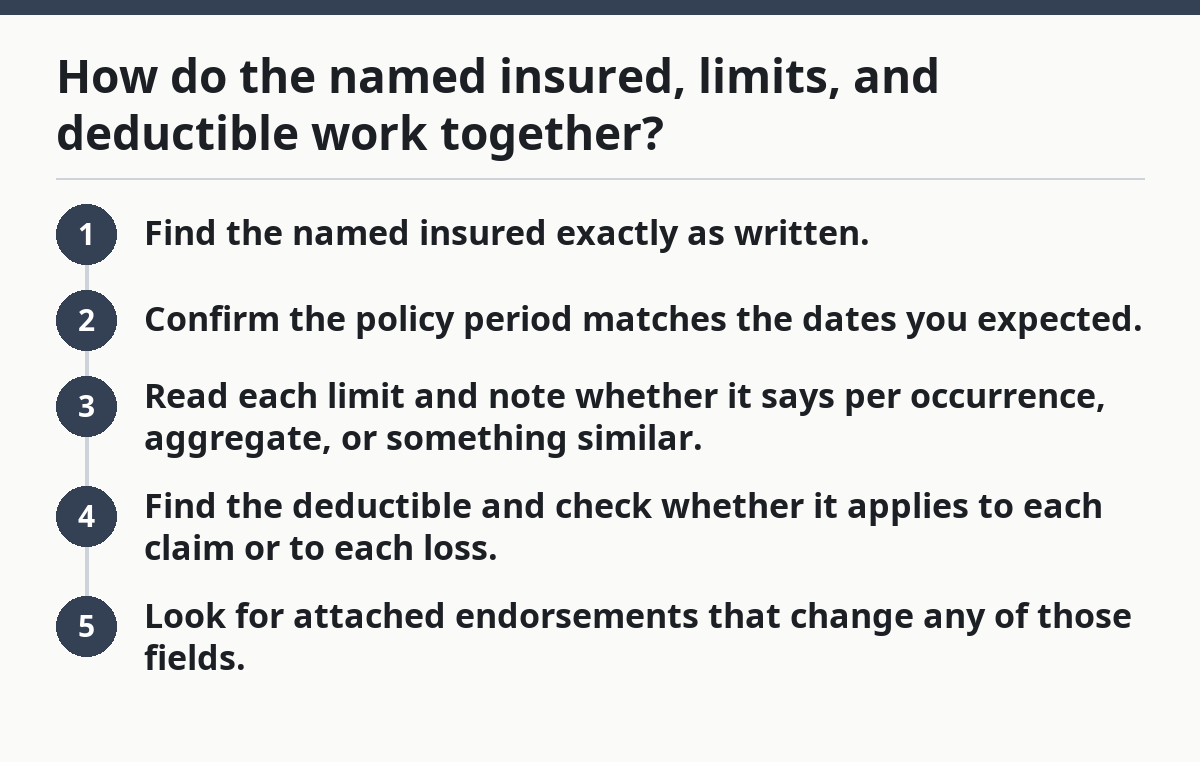
If any of those pieces conflict with your records, the declarations page needs attention before a claim or audit puts pressure on the policy.
How to read the declarations page on a liability policy?
You read it by checking the named insured first, then the dates, then the limits, then the deductible, then the endorsements and forms that modify the contract. The order matters because each later item depends on the earlier ones.
Picture this: you’ve opened the policy and need to verify it in less than 10 minutes. Start at the top and work down the page in the same order every time. That keeps you from missing a line that changes the meaning of the page. A polished policy packet can still hide a problem in one wrong letter or one missing form number.
- Read the named insured exactly as printed and compare it with the business’s legal name or entity name. Verify whether it is an individual, LLC, corporation, partnership, or trade name. A mismatch means the wrong party may be listed on the contract.
- Check the policy period for the effective date and expiration date. Verify that the term covers the activity you expected. A gap of even one day can leave a project or location outside the policy term.
- Find the limits of insurance and separate per-occurrence limits from aggregate limits. Verify the dollar amounts and the type of limit shown. If the policy uses split limits, note which coverage gets which amount.
- Locate the deductible or self-insured retention, if listed. Verify whether it applies to each claim, each occurrence, or another basis. A problem shows up when the deductible is larger than expected or attached to a different coverage than you assumed.
- Scan the forms and endorsements section for form numbers and revision dates. Verify that the listed endorsements match the changes you asked for. A missing endorsement often means the change is not part of the policy.
- Check the premium shown on the declarations page and compare it with the invoice or quote. Verify that taxes, fees, and installment terms are clear. A mismatch can point to a changed exposure or a correction after binding.
- Look for any schedule of locations, additional insured wording, or class codes if they appear on the page. Verify that each item matches the business activity and addresses. A wrong location or code can signal a coverage issue later.
This process is repeatable. A 2-page declarations page can be checked the same way as a 6-page one. The headings may change, but the questions do not.
Where do forms and endorsements show up?
Forms and endorsements show up in a list on the declarations page, usually by form number, title, and sometimes a revision date. That list tells you which policy language is attached and which written changes override the standard wording.
Picture this: you see a clean declarations page with nothing alarming on it, but a small endorsement number sits at the bottom of the list. That small line can matter more than the premium line. Endorsements are the paperwork trail for changes to the policy, such as added exclusions, revised limits, or broader wording. The declarations page does not spell out every change; it points to the change.
A few things to watch:
- A form number without a title can still matter if the policy packet contains the form.
- A revision date can mean the insurer used an updated version of a standard form.
- An endorsement can change one coverage grant while leaving the rest alone.
- A schedule attached to the policy can list locations, operations, or insureds that sit outside the main declarations page.
A generic article often skips this part and treats the declarations page like the whole deal. That’s a mistake, so consult a qualified insurance professional for your own policy and compare the forms against the policy packet. The page is the map, not the terrain. If the page references forms you don’t have, the file is incomplete. If the endorsements listed do not match the policy changes you expected, the contract needs review. For a source on how endorsements modify coverage, see IRMI and the NAIC policy guidance.
What can go wrong on a declarations page?
Errors on a declarations page can change who is insured, when coverage applies, or how much the insurer pays on a covered claim. Those mistakes are often simple: a wrong legal name, a missed endorsement, a bad date, or a limit that does not match the quote.
Picture this: a business renews a policy and files the paperwork away, only to find later that the policy period started 30 days later than expected, or the named insured uses a trade name instead of the legal entity. That mistake can affect the way the policy responds when a loss happens.
Common mistakes include:
- Wrong named insured: The policy names the wrong legal entity. The consequence is that coverage may not line up with the business that owns the risk. The fix is to correct the entity name before a loss or renewal.
- Missed policy dates: The policy period does not match the project or contract dates. The consequence is a coverage gap at the start or end of the term. The fix is to align the term with the real exposure period.
- Limits read too casually: A per-occurrence limit is mistaken for an aggregate limit. The consequence is overestimating available protection. The fix is to check the limit type on the page and the form language.
- Deductible overlooked: The deductible is ignored because the focus stays on premium. The consequence is a surprise out-of-pocket amount on a claim. The fix is to compare the deductible with the cash flow the business can handle.
- Endorsement list skipped: The endorsements are not checked against the request. The consequence is that a desired change may never take effect. The fix is to verify every form number and title.
A review of the declarations page should be boring enough to catch a one-line problem before it becomes a claim dispute.
When does the declarations page need a second look?
The declarations page needs a second look when the business changes, the contract changes, or the numbers on the page do not match other records. Those are the moments when a standard read-through is not enough.
Picture this: the company changes legal structure, adds a location, signs a new lease, or renews after a year of growth. The policy may still look familiar, but the risk behind it is different. That is when the declarations page deserves another pass.
The named insured changed entities: This means the policy may no longer match the company that owns the exposure — get the name and entity checked against the policy documents.
The policy period does not match the work date: This means the event may fall outside the insured term — confirm the dates before relying on the policy.
The limit is lower than a contract requires: This means the policy may not satisfy the written requirement — compare the declarations page with the contract or lease language.
An endorsement list is incomplete: This means a requested change may be missing — ask for the full policy packet and verify the form numbers.
The deductible is structured differently than expected: This means the first-dollar exposure may be larger than planned — check whether it is per claim, per occurrence, or another basis.
The premium changed without a clear reason: This means the exposure, classification, or rating basis may have changed — ask for the underwriting explanation and supporting page.
These are not reasons to guess. They are reasons to slow down and verify the actual contract pages.
What does a good declarations page let you verify fast?
A good declarations page lets you verify the main contract facts in under 5 minutes without hunting through the full policy. It should give you the policyholder name, the term dates, the liability limits, the deductible, and the list of governing forms.
Picture this: a lender asks for proof of current coverage, or a contract manager wants the policy term and limits confirmed before work starts. A clear declarations page makes that possible without a long read. It should answer the basic questions quickly and point you to the right forms when the answer lives elsewhere.
A strong page usually has:
- Clear headings
- Matching dates across the policy file
- A readable list of endorsements
- Limits that are easy to separate by coverage
- Premium and billing details that agree with the invoice
If the page is hard to parse, that is not a small formatting issue. It can hide a real contract mismatch. The practical test is simple: can you tell who is insured, for what dates, with what limits, and under which forms in a single read? If not, the file needs a closer look.
What is on a commercial liability declarations page?
It is the policy summary that lists the insured, policy dates, limits, deductible, premium, and the forms and endorsements that govern the contract. Those items sit on the face of the policy and control how the rest of the wording applies.
How do I read the declarations page on a liability policy?
Read the named insured first, then the policy period, then the liability limits, then the deductible, and finally the endorsements and forms.
Drafted with AI; not yet reviewed by a person.